Your bag is empty
Don't miss out on great deals! Start shopping or Sign in to view products added.
Shop What's New Sign in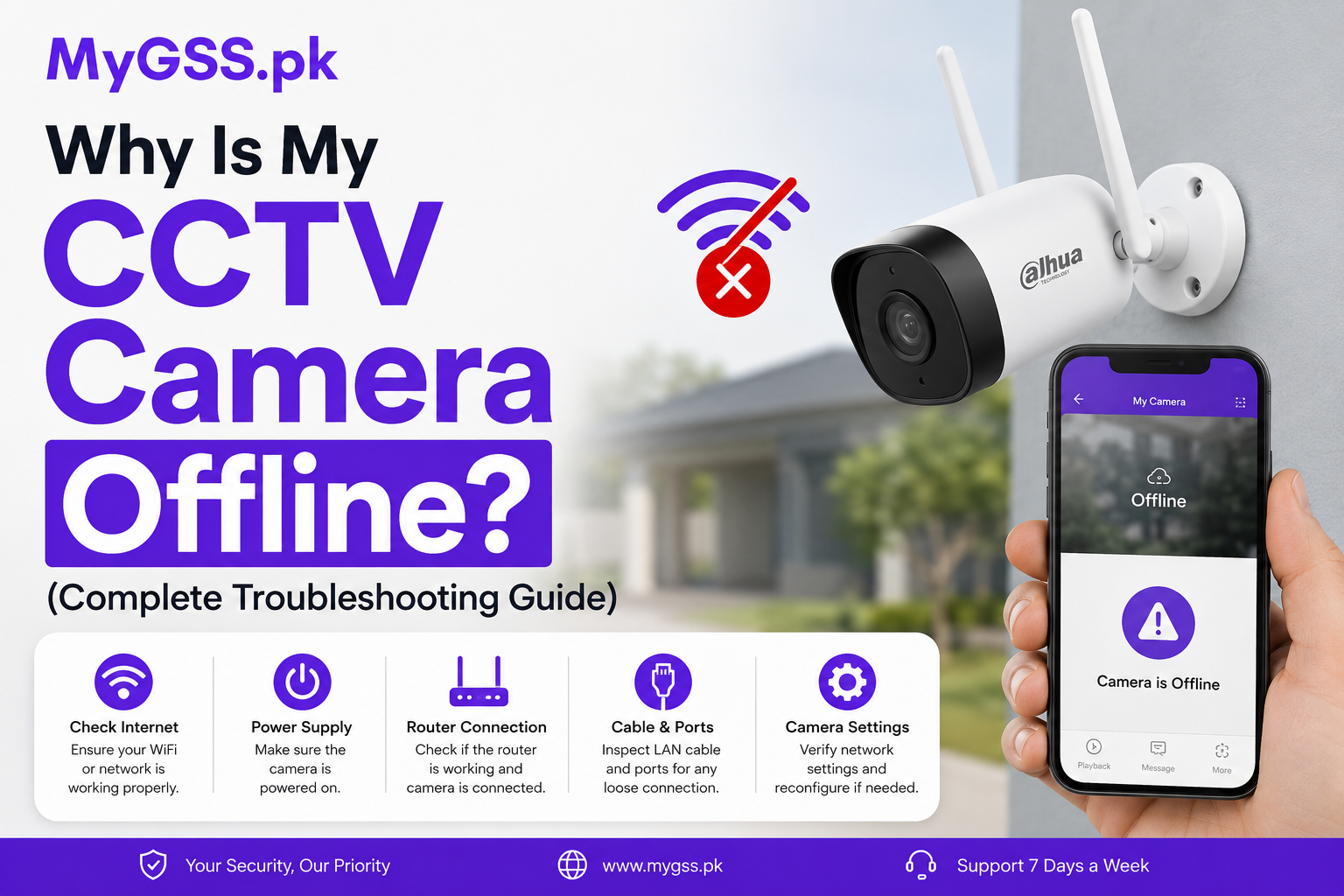
Opening your app to check on your home or shop and seeing “Camera Offline” instead of a live feed is one of the most common frustrations with any wifi camera or 4G camera setup — and it’s rarely as serious as it looks. In most cases the camera itself is fine; something has interrupted the connection between the camera and your phone, and it’s fixable in a few minutes.
This guide walks through every common cause of a CCTV camera going offline in Pakistan — WiFi cameras and 4G/solar cameras both — with step-by-step fixes for each one, so you can get your feed back without needing a technician visit.
| Cause | Applies To | Quick Fix |
|---|---|---|
| Router restarted or WiFi password changed | WiFi cameras | Reconnect camera to WiFi via app |
| Weak or out-of-range WiFi signal | WiFi cameras | Move camera closer to router, or add extender |
| Power cut / loadshedding | WiFi cameras | Add UPS backup, or switch to 4G solar |
| Internet/ISP outage | WiFi cameras | Check other devices; wait for ISP to restore |
| SIM data plan expired or weak signal | 4G cameras | Recharge SIM, reposition for better signal |
| Camera on 5GHz network | WiFi cameras | Switch router to 2.4GHz (most cameras don’t support 5GHz) |
| App/server-side glitch | All cameras | Force-close and reopen the app |
| Firmware needs updating | All cameras | Update via app settings |
| Camera physically unplugged or damaged | All cameras | Check power cable/adapter and connections |
Before diving into settings, rule out the obvious:
This is the single most common reason a WiFi camera drops offline. If your router rebooted (due to a power cut, ISP maintenance, or you manually restarting it) or if the WiFi password changed, the camera loses its saved connection and needs to be reconnected through the app.
Fix: Open the camera’s app (V380 Pro, IMOU Life, VStarcam/O-KAM Pro, or EZVIZ App), go to the device settings, and re-run the WiFi setup process — the same steps as initial installation. Our V380 camera setup and troubleshooting guide walks through this step by step.
WiFi cameras need a reasonably strong signal to stay connected. If the camera is mounted far from the router — especially through walls, or outdoors while the router is indoors — the connection can drop intermittently or fail entirely.
Fix: Move the camera closer to the router if possible, or add a WiFi extender/repeater positioned between the router and the camera’s location.
Most budget and mid-range WiFi cameras — including V380, VStarcam, and many IMOU models — only support 2.4GHz WiFi networks, not 5GHz. If your router broadcasts both bands under the same network name, the camera may have accidentally connected to (or tried to connect to) the 5GHz band, which it can’t actually use.
Fix: Check your router settings and either separate the 2.4GHz and 5GHz networks with different names, or confirm the camera is specifically set up on the 2.4GHz band.
A standard WiFi camera has no backup power source — the moment electricity cuts, it goes offline, and it’ll show as offline in the app for the entire duration of the outage.
Fix for the short term: Connect the camera to a small UPS or power bank with a compatible output to keep it running through brief outages. Fix for the long term: If loadshedding is a regular problem in your area, consider switching to a 4G solar camera, which runs independently of your home’s electricity supply entirely.
If your broadband connection itself is down — not just the router — every WiFi camera on the network will show offline, along with any other device that needs internet.
Fix: Check whether other devices (phone, laptop) can browse the internet on the same WiFi. If not, the issue is with your ISP, not the camera — contact your internet provider or wait for service to be restored.
If someone reset the camera to factory settings, or it was previously set up under a different phone/account, it may show offline in your app because it’s no longer actively paired to your account’s device list.
Fix: Re-run the full setup process from the app, treating it as a new device.
4G cameras rely entirely on an active SIM card with a data plan — if the plan expires or runs out of data, the camera loses its connection just like a phone would.
Fix: Check your SIM’s balance and data plan status, and recharge or renew as needed. This is one of the most overlooked causes since it’s easy to forget the camera’s SIM needs its own ongoing recharge, separate from your personal phone.
Farms, remote plots, and rural boundary walls sometimes sit at the edge of mobile network coverage, especially for certain networks over others.
Fix: Try a different network provider’s SIM (Jazz, Zong, or Telenor) to see if signal strength improves, or reposition the camera/antenna slightly for better reception. Our 4G camera setup guide covers signal positioning in more detail.
Solar 4G cameras rely on their solar panel to keep the built-in battery charged. During extended cloudy or rainy periods, or if the panel isn’t positioned in direct sunlight, the battery can drain faster than it recharges.
Fix: Make sure the solar panel has a clear, unobstructed, direct line to sunlight for most of the day. If the panel is shaded by trees, walls, or roof overhangs for large parts of the day, reposition it.
Some buyers have reported that the SIM used isn’t PTA-approved by default, which can cause connectivity issues depending on the SIM and device combination.
Fix: Verify SIM registration status and PTA compliance through the DIRBS website using your CNIC and the device’s IMEI if you suspect this is the issue.
If you’ve worked through the relevant fixes above and the camera still won’t reconnect, it’s worth reaching out for hands-on help rather than continuing to troubleshoot blind — especially if the camera shows no LED light at all, which usually points to a power or hardware issue rather than a network one. MyGSS.pk offers free WhatsApp and phone support for every cctv camera we sell, and can usually pinpoint the issue quickly based on the camera model and what you’re seeing on the LED indicator.
Why does my camera keep going offline and reconnecting repeatedly? This “flapping” pattern usually points to a weak WiFi signal at the camera’s location rather than a one-time fault — moving the camera closer to the router or adding a WiFi extender is the most common fix.
Can loadshedding damage my camera, or does it just go offline temporarily? A standard power cut won’t damage the camera — it simply goes offline until power returns and automatically reconnects. Repeated power surges when electricity comes back on can occasionally cause issues over time, so a surge-protected power strip is a worthwhile precaution.
Is it normal for a 4G camera to go offline briefly at night? If the camera’s battery is running low from insufficient solar charging during the day, it may go into a low-power state overnight. If this happens consistently, check the solar panel’s sun exposure during daylight hours.
Does resetting the camera delete my recorded footage? A standard WiFi/network reset (re-pairing to WiFi) doesn’t affect footage stored on a microSD card or in the cloud. A full factory reset may clear device settings but typically doesn’t erase microSD card content, since the card stores footage independently of the camera’s configuration.
My camera shows online in the app but the video won’t load — why? This usually points to a slow or unstable internet connection on your viewing device (phone/laptop) rather than the camera itself, since the connection status and the video stream are checked separately by most apps.
An offline CCTV camera is almost always a connectivity issue rather than a broken camera — work through router, WiFi band, power, and SIM checks in that order and most cases resolve within minutes. If you’re dealing with frequent offline issues because of loadshedding or a weak WiFi signal at your installation point, it may be worth exploring our 4G camera range as a more resilient alternative. Browse the latest cctv cameras price in pakistan and every cctv camera for home option on the MyGSS.pk homepage, and reach out on WhatsApp any time you need hands-on setup or troubleshooting help.