Your bag is empty
Don't miss out on great deals! Start shopping or Sign in to view products added.
Shop What's New Sign in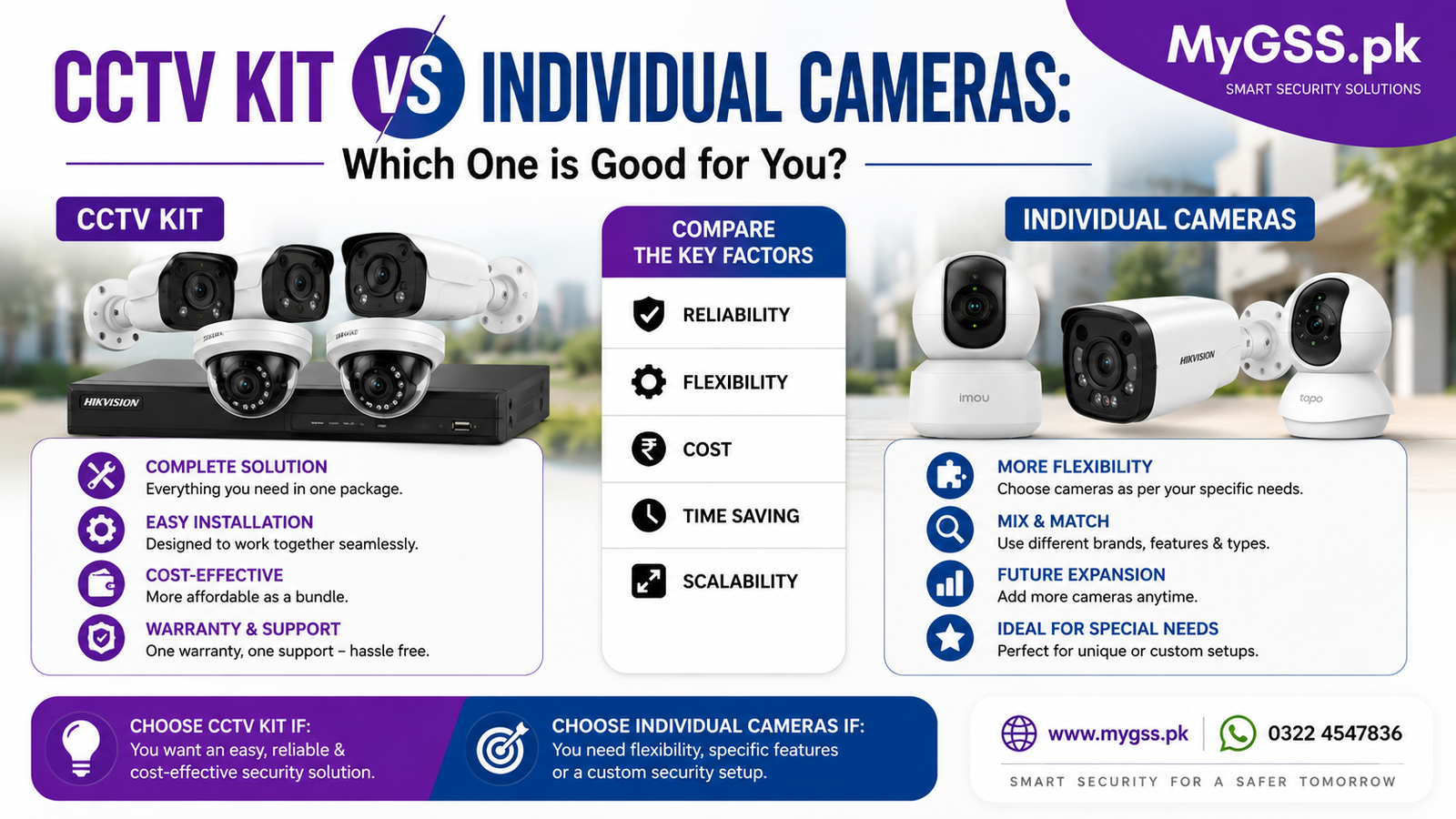
One of the first decisions anyone setting up a security camera system in Pakistan has to make is whether to buy a complete CCTV kit — cameras, NVR/DVR, hard drive, and cables bundled together — or to buy individual WiFi cameras separately and build the setup piece by piece. Both approaches genuinely work, but they suit different properties, budgets, and levels of technical comfort.
This guide breaks down exactly how a CCTV kit differs from individual cameras, when each makes more sense, and real, in-stock examples of both currently available at MyGSS.pk.
A CCTV kit (also called a camera package or CCTV bundle) is a pre-matched set that typically includes:
Everything in the kit is designed to work together out of the box, which removes the guesswork of matching a camera’s resolution and protocol to a compatible recorder.
Buying individually means purchasing standalone wifi camera units one at a time, each connecting independently to your home WiFi network rather than a shared recorder. Each camera typically has its own app, its own storage (SD card or cloud), and works entirely on its own — you’re not required to buy a matching NVR or additional cameras at all.
| Factor | CCTV Kit | Individual Cameras |
|---|---|---|
| Setup complexity | Slightly more involved (NVR + cabling) | Very simple — plug in and connect to WiFi |
| Compatibility | Pre-matched, guaranteed to work together | You choose each camera independently |
| Storage | Centralized on one hard drive via NVR/DVR | Per-camera, usually SD card or cloud |
| Scalability | Fixed channel count on the NVR (can add more within limit) | Add cameras one at a time, anytime |
| Best for | Whole-property coverage from day one | Starting small and expanding gradually |
| WiFi dependency | Wired IP kits don’t rely on WiFi at all | Fully dependent on WiFi coverage and stability |
| Ongoing cost | One-time hardware cost, no subscription needed | Some brands push optional cloud storage plans |
| Ideal property size | Medium to large homes, shops, warehouses | Apartments, single rooms, smaller properties |
Yes, and it’s actually a common setup. Many buyers start with a CCTV kit to cover core entry points (gate, driveway, main door) and then add standalone WiFi cameras separately for specific rooms or areas the kit doesn’t reach — a nursery, a home office, or an additional side entrance. There’s no requirement to stick to one approach exclusively.
Is a CCTV kit cheaper than buying cameras individually? For covering multiple points at once, a kit is usually more cost-effective than buying the equivalent number of individual cameras plus separate storage for each. For just one or two cameras, buying individually is typically the more affordable route.
Do I need WiFi for a CCTV kit to work? Not necessarily. Wired IP or analog kits record locally to the included hard drive and don’t require WiFi to function, though you’ll need an internet connection if you want remote viewing through an app. Individual WiFi cameras, by contrast, depend entirely on your WiFi network.
Can I add more cameras to a CCTV kit later? Yes, up to the channel limit of your NVR or DVR. If you plan to expand significantly over time, it’s worth choosing a recorder with more channels than you currently need.
Which is easier to set up, a CCTV kit or individual cameras? Individual WiFi cameras are generally easier and faster to set up, since it’s just a matter of connecting to your WiFi and pairing with an app. A CCTV kit involves mounting cameras, running cables to the NVR, and connecting the recorder — more involved, though kits are typically pre-matched to simplify compatibility.
What’s better for a small apartment, a kit or individual cameras? Individual cameras are almost always the better fit for a smaller space — you likely don’t need multiple channels of coverage, and a standalone WiFi camera is easier to install without permanent wiring or drilling.
You can browse the full range of CCTV systems, camera packages, and individual cctv camera for home options on our security cameras category page, including current cctv cameras price in pakistan. Not sure whether a kit or individual cameras fit your property better? Our team offers free WhatsApp and phone support to help you decide before you buy.