Your bag is empty
Don't miss out on great deals! Start shopping or Sign in to view products added.
Shop What's New Sign in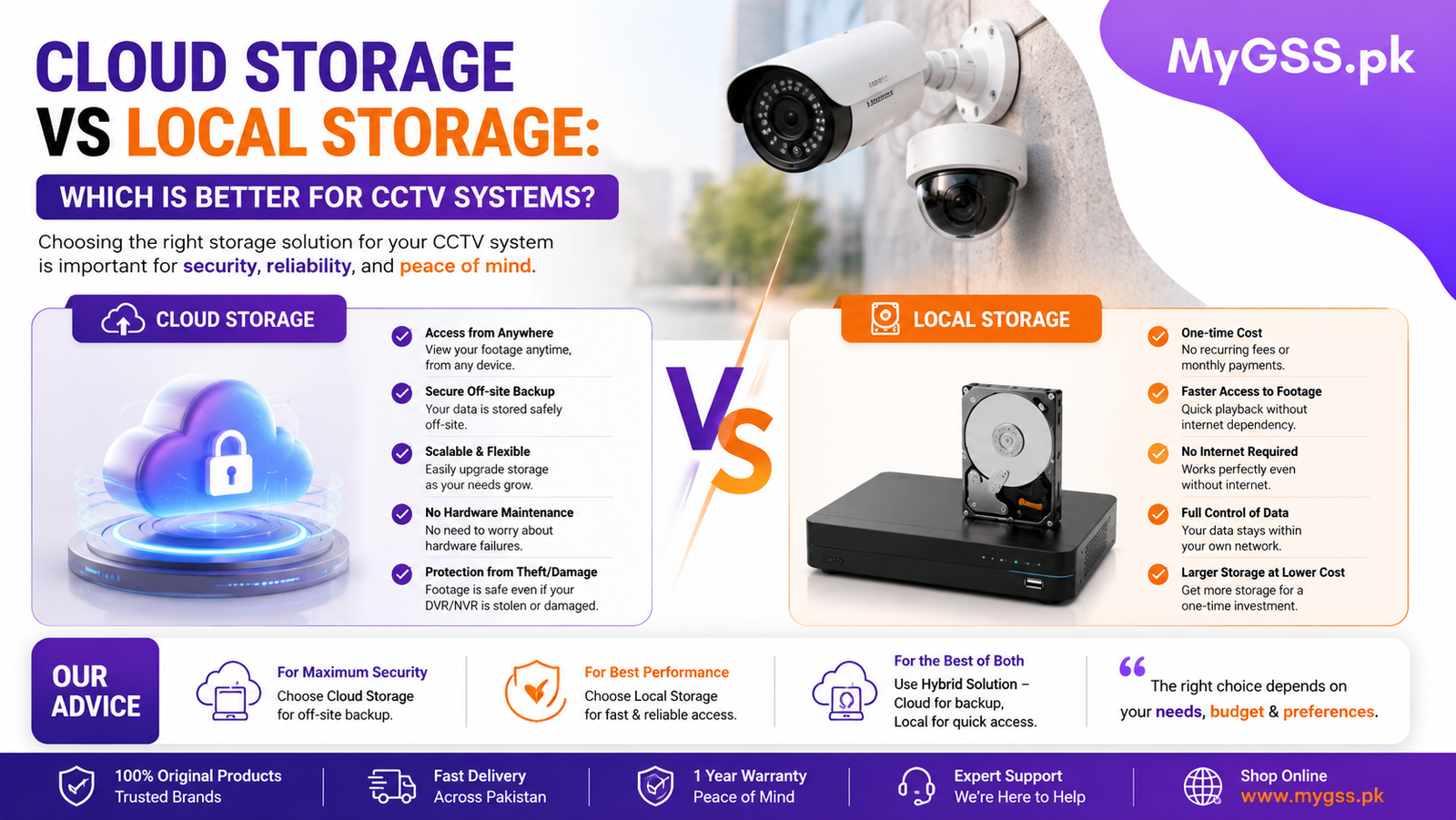
One of the most important decisions when setting up a security camera system is how your footage actually gets stored. Cloud storage and local storage solve the same basic problem — keeping a record of what your cameras capture — but they work in fundamentally different ways, with real trade-offs in cost, reliability, and how you access your footage later.
This guide breaks down exactly how each option works, when to choose one over the other, and how to plan your storage properly before you buy.
Local storage means footage is saved directly on physical hardware you own — typically a microSD card inside the camera itself, or a hard drive connected to an NVR/DVR recorder for multi-camera systems. Nothing leaves your property unless you manually export it.
Advantages:
Disadvantages:
Cloud storage means your camera uploads footage over the internet to a remote server managed by the camera brand (or a third-party service), which you access later through an app. Most WiFi cameras today offer cloud storage as an optional add-on, usually with a free trial period followed by a subscription fee.
Advantages:
Disadvantages:
| Factor | Local Storage | Cloud Storage |
|---|---|---|
| Upfront cost | Higher (SD card, hard drive, or NVR) | Lower (often included briefly, then subscription) |
| Ongoing cost | None | Monthly or annual subscription |
| Survives camera theft/damage | No | Yes |
| Needs internet to save footage | No | Yes |
| Remote access | Depends on camera/NVR remote viewing setup | Built-in by design |
| Maintenance | Occasional (card/drive health) | None (provider-managed) |
| Best for | Larger multi-camera setups, budget-conscious buyers | Single or few cameras, remote properties, theft-prone areas |
Choose local storage if:
Choose cloud storage if:
Use both if:
This depends on camera resolution, recording mode (continuous vs motion-triggered), number of cameras, and how many days of footage you want to retain. As a rough example, a single 1080p camera recording continuously can use several gigabytes per day, while a multi-camera NVR setup recording continuously can require multiple terabytes for even a month of retention.
Rather than guessing, you can use the storage calculator on our website to estimate exactly how much hard drive or SD card capacity your specific setup needs, based on your camera count, resolution, and how many days of footage you want to keep on hand.
Whether you go with cloud or local storage, you’ll typically view footage through your camera’s dedicated app — IMOU Life, EZVIZ App, Hik-Connect, DMSS, V380 Pro, or Tapo App, depending on your brand. If you’re setting up a new camera or switching between storage methods and need help configuring app access, our step-by-step setup guides for every major brand walk through the process for IMOU, EZVIZ, VStarcam, V380, TP-Link, Hikvision, and Dahua cameras.
Local storage setups involving a full NVR system, multiple hard drives, or PoE cabling across a larger property can get complex quickly, especially when you’re trying to calculate the right hard drive size and camera placement together. If you’d rather not handle the planning and installation yourself, you can find a verified CCTV installer near you who can help design and set up a storage system suited to your specific property and camera count.
Is cloud storage safer than local storage for CCTV footage? It depends on the risk you’re most concerned about. Cloud storage protects against the camera or recorder being stolen or destroyed, since footage is already off-site. Local storage protects against internet outages and avoids ongoing subscription costs, but offers no protection if the physical hardware is damaged or stolen.
Can I use both cloud and local storage at the same time? Yes, and it’s a genuinely good approach for redundancy. Many cameras support recording continuously to a local SD card while also uploading motion-triggered clips to the cloud, so you have a backup even if one method fails.
How much does cloud storage typically cost for a CCTV camera? This varies by brand and plan, but most cameras offer a free trial period (often 7-30 days) before requiring a paid subscription. Costs scale with the number of cameras and how many days of cloud history you want to retain.
Do I need internet for local storage to work? No. Local storage (SD card or NVR hard drive) records regardless of internet connectivity. You’ll only need internet if you want remote viewing through an app while away from the property.
How do I calculate how much storage I need for my CCTV system? It depends on camera resolution, number of cameras, recording mode, and retention period. You can use the storage calculator on our homepage to get an accurate estimate based on your specific setup, or speak with one of our verified installers for a full system recommendation.
You can browse CCTV Cameras, NVRs, hard drives, and individual wifi camera options — including current cctv cameras price in pakistan — on our security cameras category page. Not sure whether cloud, local, or a combination fits your property? Our team offers free WhatsApp and phone support to help you plan the right storage setup before you buy.