
Your bag is empty
Don't miss out on great deals! Start shopping or Sign in to view products added.
Shop What's New Sign in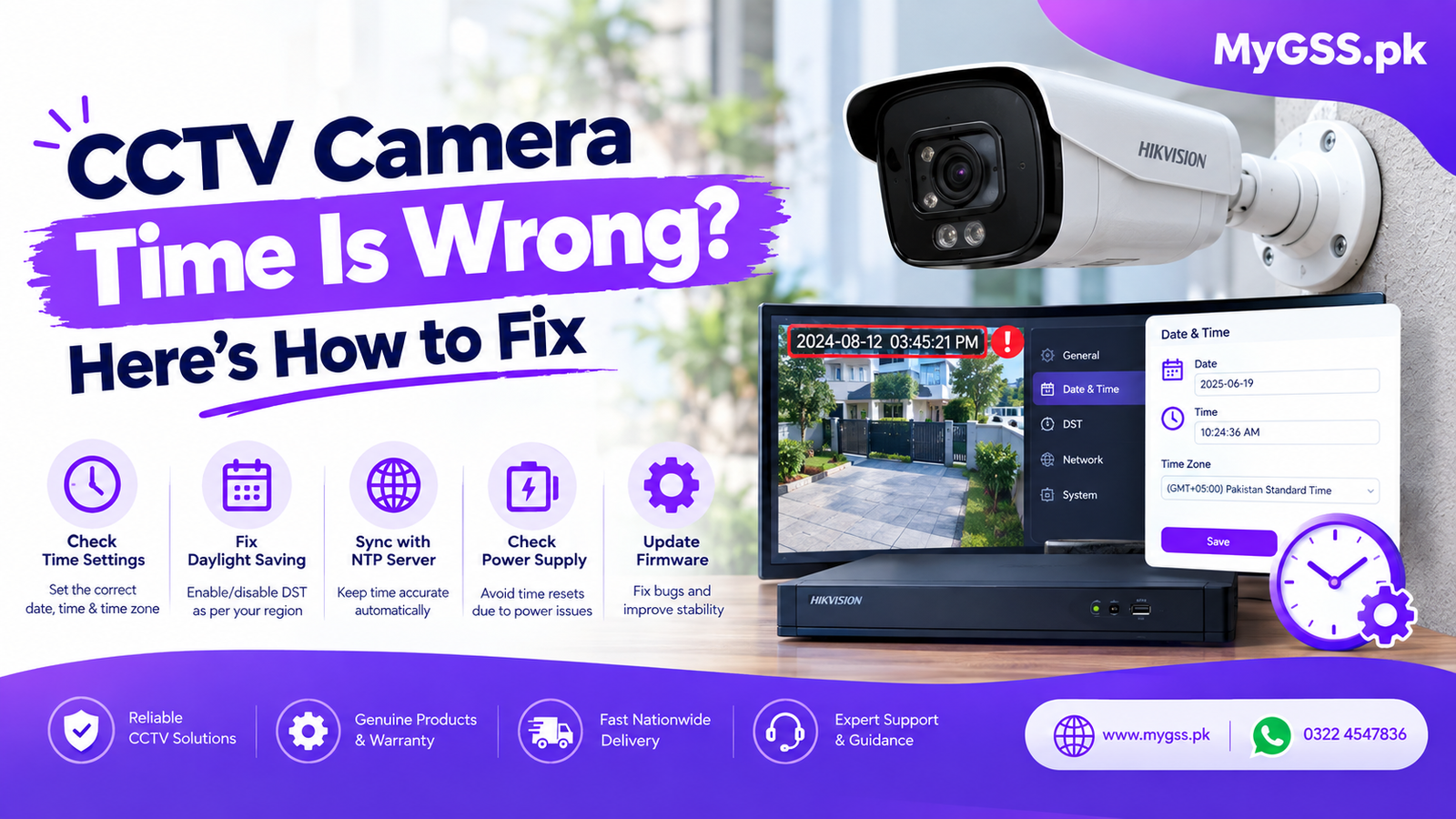
Is your CCTV camera time wrong? You’re not alone. It’s one of the most common CCTV problems homeowners and shop owners face in Pakistan — and it can seriously affect the value of your security footage.
Imagine an incident happens at 3:15 PM, but your DVR timestamp shows 8:15 AM. When you share footage with police, insurance, or your family, the wrong time can create confusion and even make your evidence useless.
The good news? Fixing CCTV camera time is usually quick and easy — once you know where to look.
At MyGSS.pk, Pakistan’s trusted online store for smart cameras and CCTV kits, we help customers solve this issue every day. In this guide, we’ll explain why your CCTV/DVR/NVR time is wrong and show you exactly how to fix it.
Your CCTV system is only as useful as the information it records. The timestamp is part of that information.
Correct time on your security camera helps you:
If your CCTV time is wrong, your entire security system becomes harder to trust.
Here are the most common causes of incorrect CCTV time in Pakistan:
Your DVR/NVR may be set to UTC or another country’s time zone instead of Pakistan Standard Time (UTC+5) . This often causes the time to be off by exactly 5 hours.
Pakistan does not currently observe daylight saving time. If DST is enabled on your DVR/NVR, your clock may jump forward or backward by one hour.
Just like a computer, many DVRs and cameras have a small CMOS battery that keeps the clock running when power is off. When this battery dies, your CCTV time resets every time there’s a power outage — often to a default date like 2015 or 2020.
NTP (Network Time Protocol) automatically syncs your camera or recorder with an internet time server. If NTP is disabled or your network is offline, the clock drifts over time.
Older firmware versions can have bugs that cause time sync issues, especially after power cuts or software updates.
Sometimes the DVR time is correct, but the mobile app displays a different time due to phone settings, app permissions, or time zone mismatches. Check our guide to Security Camera Mobile Apps for app-specific tips.
If you’re upgrading your system, learn more about IP Cameras and Analog Cameras at MyGSS.pk.
Follow these steps to correct your CCTV/DVR/NVR time.
Access your recorder using the local monitor, mouse, or web browser. You’ll need the admin username and password.
Look under:
The exact menu varies by brand (Dahua, Hikvision, TP-Link, etc.).
Set your time zone to:
Pakistan Standard Time — UTC+05:00
If your time is off by 5 hours, this is almost always the fix.
Disable Daylight Saving Time unless you specifically need it. In Pakistan, DST is not currently used.
Turn on NTP and enter a reliable time server:
pool.ntp.orgtime.google.comtime.windows.comntp.ubuntu.comMake sure your DVR/NVR is connected to the internet.
If NTP is not available, set the date and time manually. Check it again after 24 hours to see if it drifts.
If your CCTV time resets after every power outage, the CMOS battery is likely dead. A technician can replace it — it’s a small, inexpensive part.
Check your DVR/NVR manufacturer’s website for the latest firmware. Newer firmware often fixes time sync bugs.
After saving settings, reboot your DVR/NVR and cameras. Confirm the time is correct on all channels.
Open your CCTV mobile app and confirm the time matches. If not, check your phone’s time zone and app settings. For help choosing the right app, read our guide to Security Camera Mobile Apps .
Go to Main Menu > System > General > Date & Time. Set time zone to GMT+05:00 Pakistan, enable NTP, and disable DST.
Go to System > System Settings > Time Settings. Set time zone to UTC+05:00, enable NTP, and turn off DST.
Open the Tapo app, go to camera settings, and check Time Zone and Time Sync. Tapo cameras usually sync automatically with your phone.
Most Wi-Fi cameras sync time from your phone or router. Make sure your phone’s automatic date and time settings are enabled.
If your CCTV camera time is wrong by 5 hours, your recorder is almost certainly set to UTC (GMT+0) instead of Pakistan Standard Time (GMT+5) .
Fix:
That’s it.
If your DVR/NVR loses time every time electricity goes out, the issue is usually one of these:
For homes and businesses in Pakistan, we strongly recommend using a UPS or solar backup for your CCTV system. It protects your recorder, hard drive, and time settings.
✅ Enable NTP time sync
✅ Set correct time zone: UTC+05:00 Pakistan
✅ Disable DST
✅ Use a UPS for your DVR/NVR
✅ Update firmware regularly
✅ Check time after every power outage
✅ Replace CMOS battery every few years
If you’re planning a new CCTV setup, choose a system that supports automatic NTP sync. Browse IP Cameras and Analog Cameras at MyGSS.pk.
Once your CCTV time is correct, you’ll want to make sure your hard drive can store enough days of footage. If your storage is too small, older recordings may be overwritten quickly.
Use our free Video Storage Calculator to estimate the right hard drive size for your cameras.
If you’ve tried the steps above and your CCTV time is still wrong, the issue may be:
A professional technician can diagnose and fix the issue quickly. Find trusted installers in your city through our CCTV Camera Installer Directory .
The most common reasons are incorrect time zone, DST enabled, dead CMOS battery, or NTP not enabled.
Set the time zone to UTC+05:00 (Pakistan Standard Time) and disable DST. Then enable NTP sync.
A dead CMOS battery or power issues are the usual causes. Replace the battery and use a UPS.
Yes, many DVR/NVR apps let you change time settings remotely. You can also check our guide to Security Camera Mobile Apps .
No. Analog cameras use the DVR’s clock. If the DVR time is wrong, all analog camera timestamps will be wrong.
Yes, IP cameras have their own internal clocks. In most systems, the NVR syncs them automatically, but you can also set them individually.
A wrong timestamp might seem like a small issue — until you need footage for an emergency. Fixing your CCTV camera time takes just a few minutes and makes your entire security system more reliable.
Quick checklist:
At MyGSS.pk, we stock a wide range of security cameras and CCTV kits in Pakistan — from affordable Wi-Fi cameras to advanced 4K PoE systems.
🛒 Shop IP Cameras: https://mygss.pk/ip-cameras/
🛒 Shop Analog Cameras: https://mygss.pk/analog-cameras/
🔧 Find a CCTV Installer: https://mygss.pk/cctv-camera-installer-directory/
💾 Calculate Storage Needs: https://mygss.pk/video-storage-calculator-cctv-hard-drive-size-estimator/
📱 Best CCTV Mobile Apps: https://mygss.pk/security-camera-mobile-apps/
📦 Delivery across Lahore, Karachi, Islamabad, Rawalpindi, Faisalabad & all of Pakistan
✅ Genuine products | Secure checkout | Customer support
Still having trouble with your CCTV time? Browse our full collection at MyGSS.pk or contact our team for guidance — we’re here to help you get your security system running perfectly.