In today’s smart security world, WiFi CCTV cameras are becoming the top choice for homes and businesses in Pakistan. But one common question customers ask is:
👉 “Can I view my WiFi camera directly on my TV?”
The answer is YES — and in multiple ways.
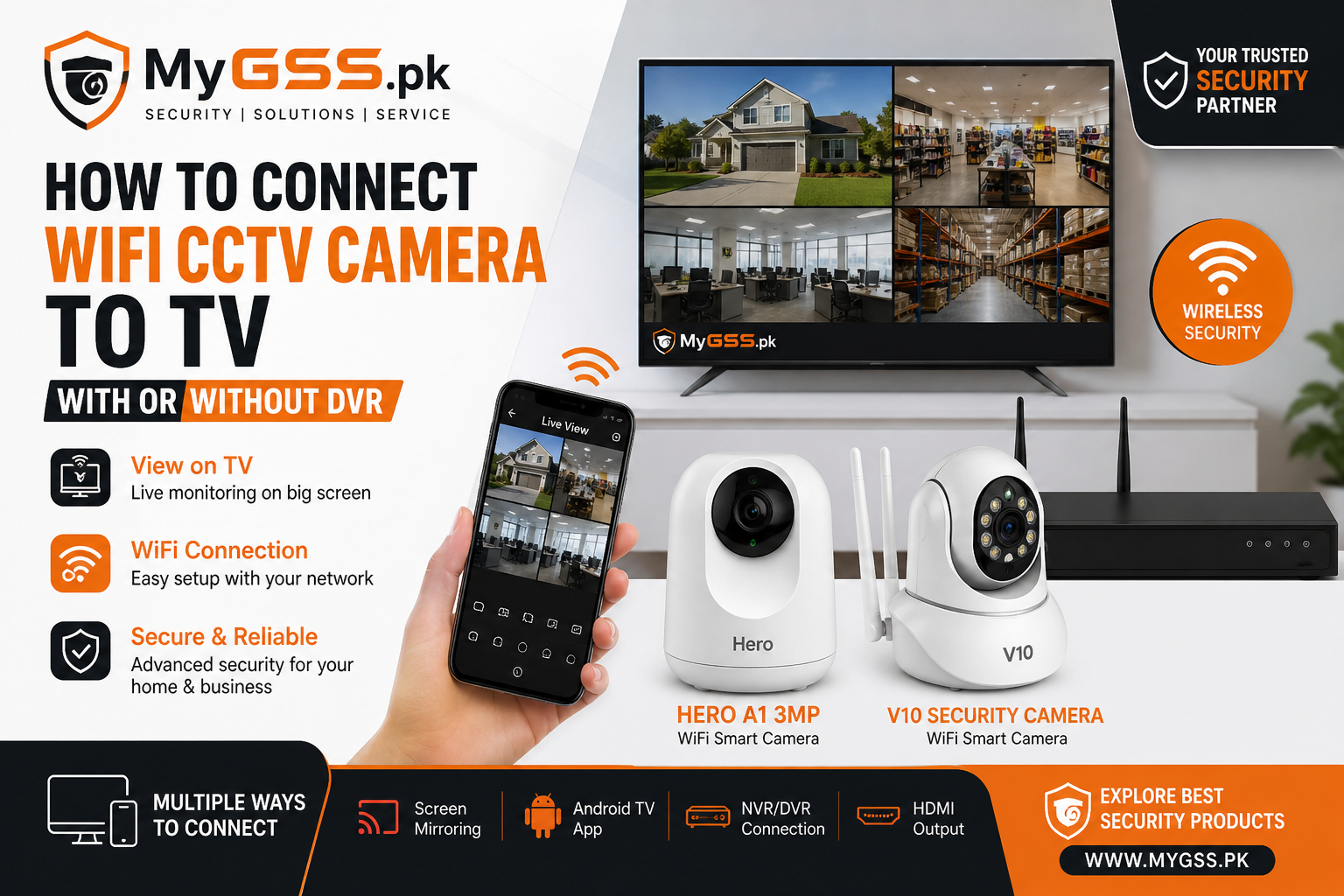
In this guide by MyGSS.pk, we’ll explain simple and practical methods to connect your WiFi CCTV camera to a TV, with or without a DVR/NVR.
Method 1: Connect WiFi Camera to TV WITHOUT DVR (Easy Setup)
If you are using smart WiFi cameras like V380, VStarcam, or Tuya-based cameras, this is the easiest method.
Option A: Screen Mirroring (Most Recommended)
This method works with Smart TVs.
Steps:
- Install your camera app on your mobile
- Connect your camera to WiFi
- Open live view on your phone
- Use:
- Android: Screen Cast / Smart View
- iPhone: AirPlay
- Select your Smart TV
🎯 Your camera feed will appear instantly on your TV.
👍 Pros:
- No extra cost
- Very easy setup
- Works with all WiFi cameras
👎 Cons:
- Requires phone always connected
- Slight delay (latency)
Option B: Using Android TV / TV Box
If your TV supports apps (or you have a Mi Box / Android TV Box):
Steps:
- Install camera app (V380, ICSee, Tuya Smart, etc.)
- Login with your account
- Open live camera feed
🎯 Now your TV works like a monitoring screen.
👍 Pros:
- No phone required
- Direct viewing
- Better stability than casting
Method 2: Connect WiFi Camera to TV WITH NVR (Professional Setup)
For shops, offices, or multi-camera setups, this is the best option.
What You Need:
- NVR (Network Video Recorder)
- WiFi/IP Cameras
- HDMI-supported TV
Steps:
- Connect NVR to TV via HDMI cable
- Add WiFi cameras to NVR (same network)
- View all cameras on TV screen
🎯 This creates a complete CCTV monitoring system.
Pros:
- Stable and reliable
- Supports multiple cameras
- Recording + playback available
- No internet required after setup
Cons:
- Higher cost
- Requires setup knowledge
Method 3: Using HDMI Streaming Devices (Advanced)
You can also use devices like:
- Chromecast
- Amazon Fire Stick
How it works:
- Install camera app
- Cast or stream to TV
👉 This is similar to screen mirroring but more flexible.
Pro Tips from MyGSS.pk
✔ Use Android TV method for best performance
✔ Use NVR setup for shops & offices
✔ Ensure strong WiFi signal for smooth streaming
✔ Use dual-band router (2.4GHz + 5GHz) for better results
Best WiFi CCTV Cameras in Pakistan
Looking for reliable WiFi cameras?
👉 Explore our latest collection:
🔗 https://mygss.pk/
We offer:
- Indoor & outdoor WiFi cameras
- Solar & 4G cameras
- Smart home security solutions Need Help?
If you’re not sure which setup is right for you, our team at MyGSS.pk is here to help.
📩 Contact us for expert guidance and best prices in Pakistan.